Trouble powering LadyBug6 using GPIO
Answered
Hi,
I am trying to use a LadyBug6 + GPIO/USB cables.
I am using as power source a DC Adapter 24V - 2.2A therefore mostly the same as the one we can purchase from teledyne.
When powered, the camera LED initially is green but just after ~1 second it switches to steady yellow/green that, according to docs, means "Sensor power down or insufficien power"
I also tried other DC adapters in the specs range 12-24V with sufficient power but the behavior is always the same. Please, how can I debug this?
Thanks,
Massimo
-
Hello Massimo,
The power supply we offer (which is also included in the devkit) is rated at 24V 2.5A. You can find more details about it at https://www.teledynevisionsolutions.com/products/24v-2.5a-power-supply/?model=ACC-01-9001&vertical=iis%20general&segment=iis
Could you please confirm if you have received our power supply to test with? If so, it would be beneficial to rule out any potential power-related issues.
Additionally, have you attempted to start the camera through your application or ladybugCapPro? Were there any error messages displayed?
Could you also provide the system specifications and the length of the USB3 cable connecting the camera to the PC?
Any details you can provide will be helpful in troubleshooting.
Regards,
Ifeanyi0 -
Thanks for the power supply specs.
No, we tested different power supplies:1. 12V 3A
2. 19V 7A
3. 24C 2.2A
We tried to start the camera using the ladybugCapPro, it seems it is able to see the camera but then the camera disappear and therefore it is not possible to select it.
The USB3 cable is 3 meters long
0 -
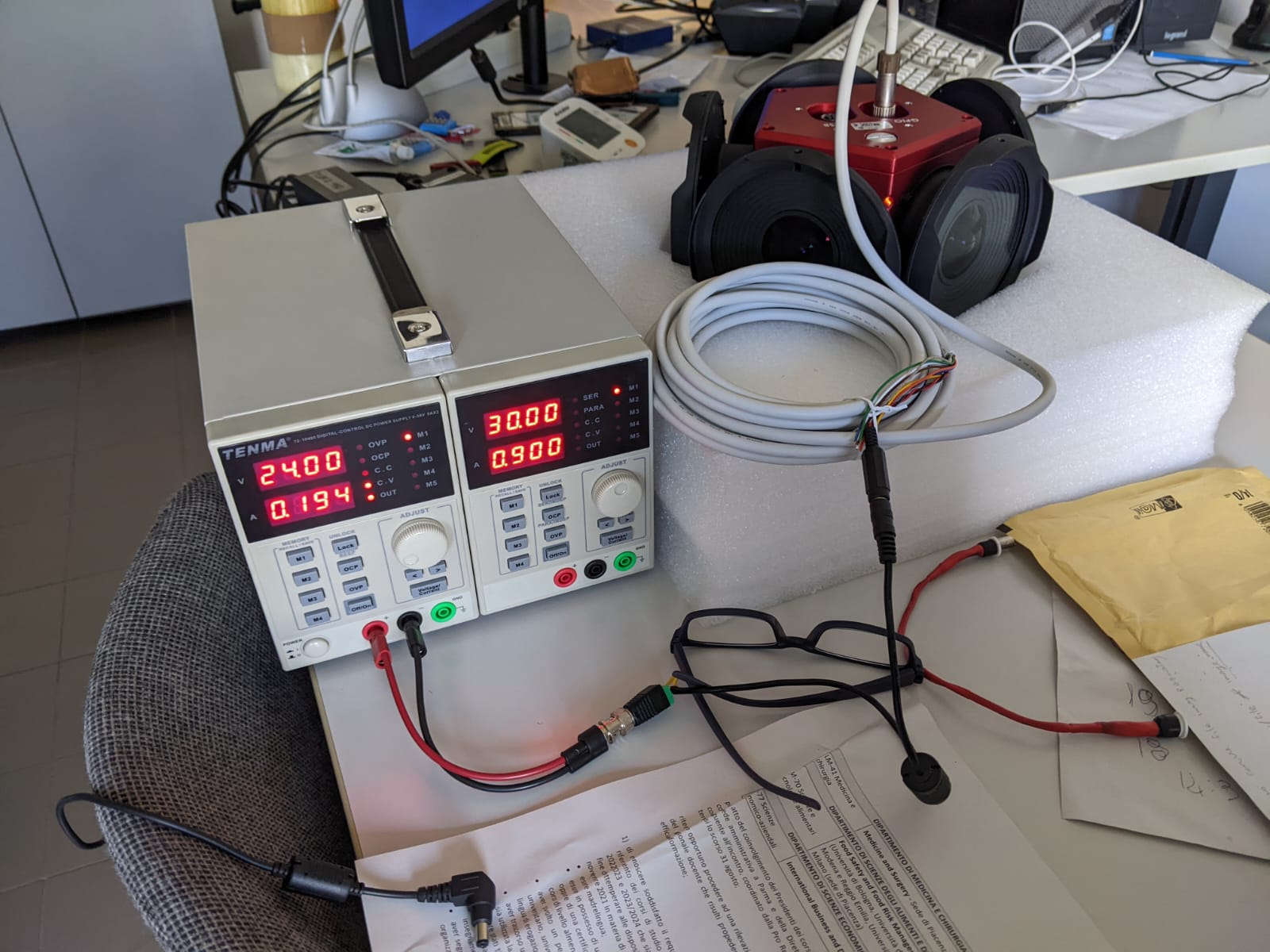
We also tried a 24V 2.5A as yours. As you can see the LED is green/yellow and the camera is not draining power.
 0
0 -
Hello Massimo,
We recommend the following troubleshooting steps to address the power-related issue with your camera:
- Test the camera with our power supply, which you can find at this link(recommended), or an equivalent power supply with the same specifications.
- If the issue persists, try boosting the signal by using a 1-Port USB3 hub. Connect your camera to your PC using this setup: PC > 1m cable > USB hub > 3m cable > camera.
We would appreciate your feedback on whether these steps help resolve the issue.
Regards,
Ifeanyi
0 -
Hello Massimo,
Apologies as I did not know how your last message with screenshot got skipped. Do you have any update regarding powering the camera? The screenshot seems current is ~0.1A and not 2.5A right?
Please open a support ticket with us at flir.custhelp.com/app/ask if it is more convenient for you to further investigate this via remote session.
Regards,
Ifeanyi
0

Please sign in to leave a comment.
Comments
5 comments